![[HERO] Why We Ask Questions: The Secret to Faster IT Support (and Why "Just Fix It" Doesn't Work)](https://cdn.marblism.com/WZT6a5mg_t5.webp)
No one likes it when technology breaks.
It interrupts your workflow. It kills momentum. It adds stress to your day. And when you’ve hired an IT company, your expectation is simple:
"I pay you so I don’t have to deal with this."
That’s completely fair.
But here’s something most people don’t realize: The fastest way to fix your issue is often you.
Not because we expect you to be technician. Not because we want you to troubleshoot it yourself. But because you are the only one who saw what happened. And that context matters.
The "Just Fix It" Fallacy: Why Vague Tickets Are the Slowest Path to Resolution
When you submit a ticket that says:
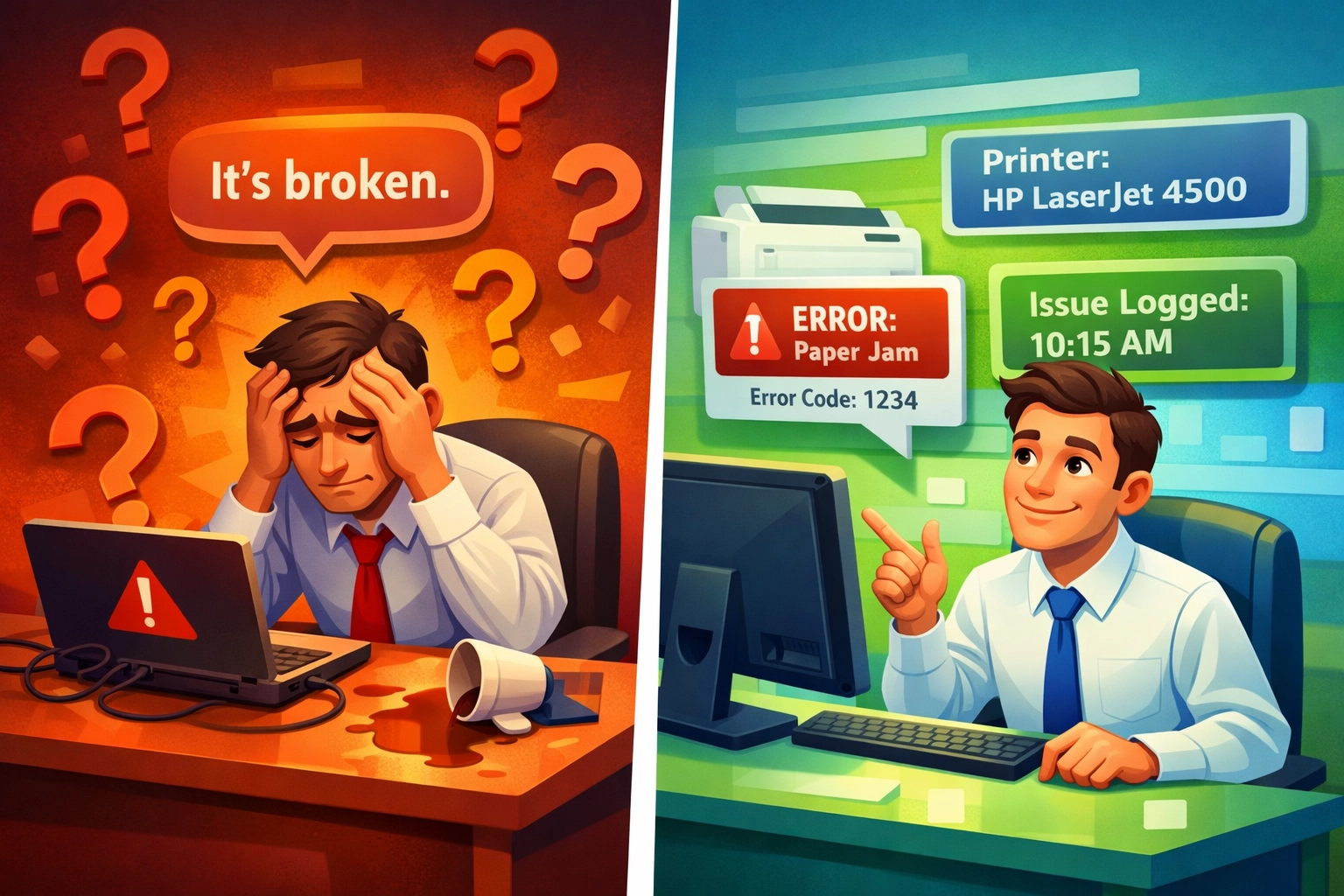
"My printer is broken."
We don’t yet know:
- Which printer?
- Is it a local USB printer or network printer?
- Is it happening on one computer or five?
- Is there an error message?
- What were you trying to print?
- Did this just start today or has it been happening for weeks?
Without that information, we have to stop and ask. Now the process looks like this:
- You submit ticket.
- We reply asking for clarification.
- You respond later (maybe tomorrow).
- We analyze.
- We ask another follow-up.
- More waiting.
That back-and-forth is what slows everything down.
Research shows that IT support specialists must "listen to the customer’s concerns and ask clarifying questions to gather all relevant information about the issue" because a customer’s initial description rarely reveals the root cause. A computer crash could result from hardware failure, software conflicts, insufficient memory, or malware – different underlying problems can produce identical symptoms.
The "just fix it" approach fails because it treats surface-level symptoms rather than root causes. A quick temporary fix might restore function momentarily, but without understanding what caused the problem, the same issue often resurfaces, requiring repeated interventions and frustrating everyone involved.
What Fast Tickets Look Like
Compare that vague "My printer is broken" ticket to this:
"When I try to print to front office HP LaserJet, it says ‘Printer Offline.’ It started this morning. Other people can print fine. I restarted my computer but it didn’t help."
That ticket gives us:
- The exact device
- The exact error
- Scope (only you vs everyone)
- Timeline
- What’s already been tried
With that information, we can often respond immediately with a fix, sometimes in one reply. Same problem. Very different speed.
"But Aren’t I Paying You to Figure That Out?"
Yes: and we are.
But think of it like going to the doctor. If you walk in and say:
"I don’t feel good."
They can’t diagnose much. If you say:
"I’ve had a sharp pain in my lower right abdomen for 3 days, worse when I move, no fever."
Now they can work. You’re not doing the doctor’s job. You’re providing symptoms.
IT works the same way. We don’t expect you to fix it. We expect you to describe it.
As a Phoenix managed service provider, we see this pattern daily: clients who get the fastest support aren’t necessarily the ones with the simplest problems – they’re the ones who provide the clearest context. Questions help collect specific details about when the problem occurred, what the user was doing, what error messages appeared, and what steps have already been attempted. This information-gathering phase is critical for systematic troubleshooting.
The Anatomy of a "Power Ticket"
Here’s the ideal format for submitting IT support requests:
1. What were you doing?
"I was trying to attach a contract to an email in Outlook."
2. What did you expect to happen?
"The file should have attached and I could hit send."
3. What actually happened?
"Outlook froze for 30 seconds, then gave me an error."
4. Exact error message (copy/paste or screenshot)
"The attachment size exceeds the allowable limit."
5. When did it start?
"This morning around 9 AM. It worked fine yesterday."
6. Is anyone else affected?
"I don’t know – I haven’t asked the team yet."
That’s it. You don’t need technical terms. Plain English is perfect.
According to workplace research, asking questions allows the brain to develop better solutions because "the better the data from the answers we get, the better the decisions we make." When you provide this level of detail, you’re giving us the data we need to make the right decision fast.

Why Screenshots Matter (They’re Not Busywork)
When we ask for a screenshot, it’s not busywork. Error messages matter. Wording matters. Exact phrasing matters.
"Email isn’t working" can mean:
- Outlook won’t open
- Password expired
- Mailbox full
- Internet down
- Exchange outage
- Corrupt profile
- MFA prompt stuck
A screenshot removes guesswork. Guesswork wastes time. Precision saves it.
Listening actively and demonstrating understanding reassures clients that we’re genuinely engaged in solving their problem rather than dismissing it. Screenshots provide visual confirmation that we’re on the same page, literally.
Web Design: Why We Ask for Input
The same principle applies to our web design services for IT support for small business Phoenix clients.
When we ask for:
- Wording
- Images you like
- Color preferences
- Example websites
- Branding tone
We aren’t asking you to design the site. We’re asking you to define your vision.
Because here’s the truth: No designer, no matter how skilled, can read your mind.
We can build. We can optimize. We can structure. We can make it technically excellent. But you know your brand. You know your audience. You know your voice.
The best results happen when:
- You provide direction
- We provide execution
That’s partnership.
The Hidden Cost of Minimal Information
When tickets are vague, three things happen:
- Slower response time (we’re waiting on clarification)
- More back-and-forth (multiple emails instead of one)
- More frustration on both sides (you feel ignored, we feel stuck)
When tickets are detailed:
- Faster diagnosis (we have what we need immediately)
- Fewer emails (often resolved in first response)
- Often a same-day fix (problem solved before lunch)
If you want immediate answers, give us immediate clarity.
For Scottsdale IT support clients managing real estate transactions, loan processing, or client-facing services, downtime isn’t just frustrating: it’s expensive. Every minute spent waiting for clarification is a minute you’re not serving your clients.

What We’re NOT Asking You To Do
Let’s clear this up. We are not asking you to:
❌ Troubleshoot complex issues
❌ Diagnose systems
❌ Understand networking
❌ Fix your own problem
❌ Do our job
We are asking you to: Describe your experience clearly. That’s all.
Why This Makes Everything Better
When you provide detailed information upfront:
✅ You get answers faster (often same-hour resolution)
✅ You reduce downtime (less time waiting, more time working)
✅ You avoid unnecessary calls (email resolution vs phone tag)
✅ You avoid repeated questions (one detailed ticket vs five clarification emails)
✅ You help us help you (we can prioritize accurately)
And that means less disruption to your day. Which is the whole point.
The Bottom Line
You hired us because we’re experts. We respect that you’re an expert in your field too.
The fastest path to resolution isn’t: "Just fix it."
It’s: "Here’s exactly what happened."
That small difference saves time, money, and frustration. We’re on the same team. Help us see what you see – and we’ll take it from there.
Armed with complete information, IT support specialists can follow established troubleshooting methods that involve verifying the issue, testing potential fixes, identifying the root cause, and documenting findings. This systematic approach – enabled by your detailed ticket – ensures permanent fixes rather than temporary band-aids.
Next time something breaks, remember: The five minutes you spend writing a detailed ticket saves you hours of back-and-forth.
Ready to experience IT support that actually works with you instead of making you jump through hoops? Let’s talk about how our partnership approach keeps your technology running smoothly – without the frustration.
Schedule your intro call here and see what proactive, responsive IT support actually looks like.