Executive Summary: Why Most Service Provider Reviews Miss the Mark
Here’s the problem with most service provider evaluations: they’re either completely subjective (“I feel like they’re slow”) or they rely on metrics that don’t tell the whole story. Email response times don’t capture the 2 AM emergency fix that happened via phone. Ticket closure rates don’t reflect the complex project work that spans multiple channels.
That’s why we’ve developed a comprehensive AI prompt that analyzes your email history with service providers: but does it fairly. Instead of penalizing providers for work that happens outside your inbox, this AI explicitly flags when evidence is incomplete and adjusts confidence levels accordingly.
The result? A structured, evidence-based evaluation that helps you make better decisions about your service providers without falling into the “email tunnel vision” trap that plagues most automated reviews.
How Our AI Service Audit Actually Works
Unlike generic AI tools that might skim your emails and spit out arbitrary scores, this prompt follows a methodical process designed to be both thorough and fair.
Step 1: Identity and Scope Definition
You provide the specific email addresses of the service provider you want evaluated. The AI doesn’t guess based on signatures or domains: it only analyzes communications from the exact addresses you specify. This prevents the common mistake of accidentally scoring the wrong party in multi-vendor email threads.
Step 2: Smart Message Classification
The AI distinguishes between human-authored messages and system-generated notifications. This is crucial because auto-closure emails, ticket reminders, and survey requests shouldn’t count as “service delivery.” Only actual human interactions get factored into responsiveness and quality metrics.
Step 3: Evidence Thresholds
Before assigning any scores, the AI checks whether there’s sufficient data. If you only have one or two interactions, or if threads lack clear outcomes, you’ll get narrative analysis instead of potentially misleading numeric ratings.
Step 4: Fair Attribution
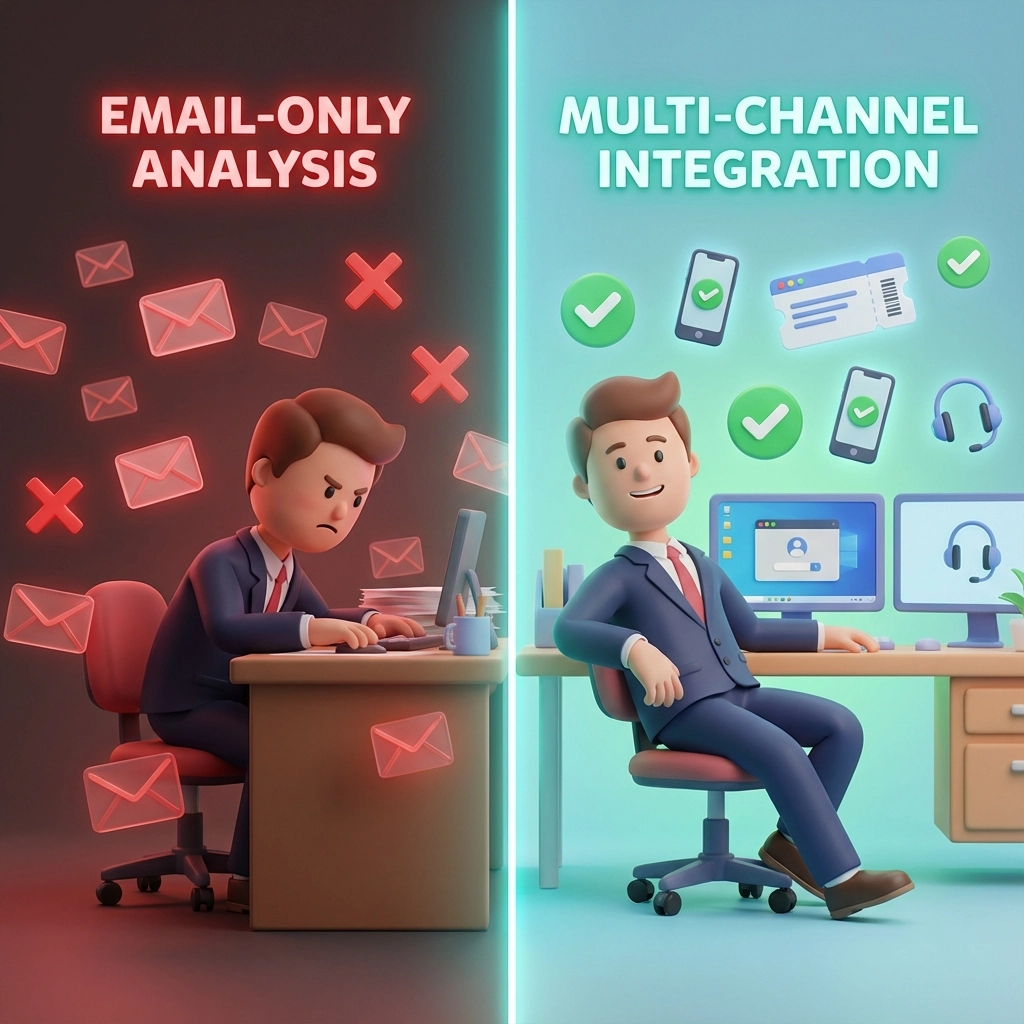
When work clearly happened outside email: like portal updates, phone calls, or on-site visits: the AI marks those categories as “insufficient evidence” rather than scoring them poorly. This prevents the unfair penalty that many email-only analyses create.
What Gets Scored (and What Doesn’t)
The AI evaluates seven key service categories, but only when actual evidence exists:
Always Evaluated (when applicable):
- Responsiveness & Follow-through: Based on actual human response times and whether commitments were met
- Communication Quality: Clarity, professionalism, and helpfulness of explanations
- Customer Experience: How well the provider managed expectations and addressed concerns
Conditionally Evaluated:
- Technical Accuracy & Completeness: Only scored when full problem-to-solution threads are visible
- Project/Ticket Management: Only when clear process signals exist in email
- Security & Risk Posture: Only when security-related topics are discussed
- Proactivity: Only when opportunities for forward-thinking advice were clearly present
The Key Difference: “Insufficient Evidence” vs. “Poor Performance”
This is where most AI evaluations fail. When a category can’t be fairly assessed from email alone, our prompt marks it as “insufficient evidence” rather than giving it a low score. This maintains the integrity of the overall rating while acknowledging the limitations of email-only analysis.
The Essential Warning: AI Is Only Part of the Picture
Here’s what every business owner needs to understand: this AI audit gives you a structured, evidence-based report from your email history, but email doesn’t tell the whole story.
Service providers often do their best work through channels you might never see:
- Monitoring systems that prevent problems before they reach your inbox
- Ticket portals with detailed technical documentation
- Phone calls that resolve issues in minutes instead of email threads
- Remote sessions that fix problems without generating correspondence
- Automated systems that handle routine tasks invisibly
The Bottom Line: Use this AI audit as one valuable input in your decision-making process, not as the final word. Combine the structured insights with your own experience, other documentation, and direct conversations with your provider.
How to Use the AI Service Audit Prompt
What You’ll Need:
- Email addresses of the service provider (including any aliases they use)
- Access to your email search function
- A clear timeframe (we recommend the last 12 months)
- Basic information about the service type (break/fix, project work, managed services)
Step-by-Step Process:
- Gather Provider Information: Collect all email addresses your service provider uses: not just the main support address, but any individual team member addresses that appear in your communications.
- Set Your Evaluation Mode: Choose between “True service delivery across all channels” (default) or “Email-only perception audit” if you specifically want to understand how things appear from an email perspective.
- Define the Scope: Specify your date range and service type. For ongoing relationships, 12 months provides good coverage without overwhelming the analysis.
- Run the Analysis: The AI will search your emails, organize them by incidents or projects, and apply the structured evaluation framework.
- Review Results with Context: Pay special attention to confidence levels and “insufficient evidence” markers: these tell you where the email view might be incomplete.

Sample Output: What to Expect
Here’s a simplified example of what an evaluation summary might look like:
Provider: [email protected]
Evaluation Period: January 2024 – December 2024
Incidents Analyzed: 8 distinct issues
Execution Quality Rating: 4.2/5.0 (High Confidence)
- Responsiveness: 4.5/5.0
- Communication Quality: 4.0/5.0
- Customer Experience: 4.0/5.0
- Technical Accuracy: Insufficient evidence (portal-based work)
- Project Management: N/A (no projects in scope)
Key Findings:
- Average human response time: 3.2 hours
- 100% follow-through on email commitments
- Clear, jargon-free explanations
- Evidence suggests significant off-email technical work
Confidence Note: Technical execution likely stronger than email evidence suggests due to documented portal references and remote session mentions.
Why This Matters for Your Business
In our experience working with businesses across Phoenix, one of the biggest challenges is fairly evaluating service providers when work happens across multiple channels. Traditional surveys capture how people feel, but feelings can be influenced by recency bias or that one memorable frustrating interaction.
This AI prompt gives you a middle ground: structured analysis based on actual communications, with built-in protections against the unfair penalties that pure email analysis might create. Whether you’re evaluating your current MSP, considering a new IT provider, or just wanting more accountability in your vendor relationships, having this kind of evidence-based assessment can inform better decisions.
Ready to Try It? Here’s the Complete AI Prompt
The complete AI prompt is available for free below: no registration required. You can use it with ChatGPT, Claude, or any AI platform that can access your email data.
Copy and paste this entire prompt into your AI assistant:
You are an impartial service-audit analyst.

GOAL:
Evaluate the quality and value of a service provider by analyzing email communication history between me and a specific provider, while fairly accounting for work that may occur outside of email (ticket portals, remote sessions, phone, onsite, automation).

────────────────────────────────────────
STEP 0 — SET EVALUATION MODE (REQUIRED)
Ask the user to confirm or default to:
- Evaluation mode: "True service delivery across all channels" (DEFAULT)
  OR
- "Email-only perception audit" (explicitly requested)

If not explicitly stated, assume "True service delivery across all channels."

────────────────────────────────────────
STEP 1 — COLLECT THE RECORD
1) Ask me for the provider email address(es) to evaluate.
2) Search my email for all messages to/from those addresses across all folders (Inbox, Sent, Archived).
3) Include related threads where the provider appears in CC/BCC or where the same incident/ticket is discussed.
4) If there are too many results, prioritize the most recent 12 months, then expand if needed.
5) Build a chronological timeline grouped by distinct incidents, tickets, or projects.

────────────────────────────────────────
PROVIDER IDENTITY MERGE (IMPORTANT)
Treat the provider as a single entity even if multiple aliases or domains are used.
If the user provides multiple addresses,
merge them into one provider identity for searching and scoring.

ROLE BINDING (CRITICAL — PREVENTS WRONG-PARTY SCORING)

Definitions:
- PROVIDER = the email address(es) the user supplies as the provider (plus explicitly listed aliases).
- CLIENT = the mailbox owner / user, plus any non-provider participants in those threads.

Hard rules:
1) Never infer who the provider is from writing style, technical content, signatures, or domain names.
2) The provider is ONLY the address(es) explicitly provided by the user (plus aliases the user confirms).
3) If an email thread contains multiple service providers (e.g., vendor support + MSP), only score the provider that matches the explicitly provided address(es). Treat other providers as third parties.

Role classification procedure (mandatory):
- For each message, assign a role label:
  A) Provider (matches provided provider address list)
  B) Client (mailbox owner or client participants)
  C) Third-party vendor (RingCentral, Microsoft, ISP, etc.)
  D) System-generated (PSA/ticketing automation)

Sanity check (mandatory before scoring):
- If fewer than 60% of human-authored messages are clearly attributable to the specified Provider address(es), pause and ask:
  "I found limited messages authored by the specified provider address(es). Do you want me to:
   (1) expand provider aliases, (2) switch the evaluated provider identity, or (3) proceed with low-confidence narrative only?"
- Do not produce a provider scorecard unless at least one incident includes a human-authored Provider message from the specified provider address(es).

Directionality rule:
- "Back-and-forth" means messages between CLIENT and PROVIDER as defined above.
- If the user instead supplies a CLIENT email and wants the OTHER PARTY graded, the user must say:
  "The provider is the other party in these threads; infer provider identity from consistent sender domain/signature."
  Otherwise, do not infer.

────────────────────────────────────────
SYSTEM-GENERATED MESSAGE RULE (CRITICAL)
Classify each message as:
- Human-authored (provider or client)
- System-generated (ticketing system, auto-closure, reminders, surveys)

Rules:
- System-generated messages MUST NOT be treated as evidence of service execution, responsiveness, follow-through, or proactivity.
- System messages may be referenced only to explain process mechanics (e.g., how closure works).
- Auto-closure emails triggered by no response must never be scored as proactive service.

────────────────────────────────────────
MINIMUM EVIDENCE THRESHOLD
Do NOT assign numeric service-quality scores unless BOTH are true:
1) At least TWO distinct incidents/threads exist in the evaluation period, AND
2) At least ONE incident contains documented human interaction plus an outcome
   (or strong indication work occurred off-email).

If the threshold is not met:
- Provide narrative analysis only
- Label the result: "Insufficient sample size for scoring"
- Do not compute numeric ratings

────────────────────────────────────────
THREAD COMPLETENESS REQUIREMENT
Do not score "Technical accuracy & completeness" unless the email record includes:
- Original request
- Actions taken (or clearly referenced)
- Verification or outcome

If the current thread is an auto-closure or final check-in without narrative:
1) Search for earlier related emails (same ticket/subject variants)
2) Search for portal notifications or technician replies

If narrative is still missing:
- Mark execution-related categories as "Insufficient evidence" (NOT a low score)
- Shift emphasis to Process and Customer Experience categories that ARE evidenced

────────────────────────────────────────
DOCUMENTATION VS EXECUTION
- Documentation Quality must NEVER reduce Execution Quality.
- Documentation Quality is scored ONLY if the user explicitly requests "email-as-system-of-record" evaluation.
- Otherwise, treat documentation as a non-scored observation.

────────────────────────────────────────
STEP 2 — EXTRACT STRUCTURED FACTS
For each incident/project, extract and cite:
- Dates/times of key messages
- Human response gaps (exclude system messages)
- Original request and scope (if present)
- Scope changes or constraints
- Actions taken or advice provided
- Outcomes or inferred resolution
- Open loops
- Professionalism and tone
- Process maturity signals (triage, escalation, verification, closure)

────────────────────────────────────────
STEP 3 — SERVICE QUALITY SCORING (INDUSTRY STANDARD)

CATEGORIES:
1) Responsiveness & follow-through
2) Technical accuracy & completeness
3) Communication quality
4) Project/ticket management
5) Customer experience
6) Security & risk posture
7) Proactivity

APPLICABILITY GATE (MANDATORY):
For EACH category, label one:
- Applies
- N/A (not relevant to this incident)
- Insufficient evidence (work may have occurred off-email)

SCORING RULES:
- Only score categories marked "Applies" (0–5, 0.5 increments allowed)
- N/A or Insufficient evidence categories MUST NOT be scored
- Missing evidence must never be treated as poor performance

SECURITY & PROACTIVITY CONDITIONALS:
- Only score Security if credentials, access, identity, payments, email/DNS, remote access, or data exposure are involved
- Only score Proactivity if the incident reasonably allows prevention or forward-looking guidance

────────────────────────────────────────
DUAL RATINGS (REQUIRED)

A) EXECUTION QUALITY RATING
- Based only on "Applies" categories
- Reflects how well service appears to have been delivered
- Include confidence level (Low / Medium / High)
- Reduce confidence (not score) if work likely occurred off-email

B) DOCUMENTATION QUALITY RATING
- Assess whether the email trail documents:
  - What was done
  - Verification
  - Closure
- This rating must not affect Execution Quality

────────────────────────────────────────
WEIGHTING RULES
- Start with default weights based on engagement type (break/fix, project, managed service)
- Remove all N/A and Insufficient-evidence categories
- Renormalize remaining weights to total 100%
- Explicitly list excluded categories and reasons

────────────────────────────────────────
STEP 4 — ACCOUNTABILITY (BOTH PARTIES)

Provider Accountability:
- What was done well
- Where clarity, follow-up, or documentation could improve
- Missed opportunities (email-visible only)

Client Accountability:
- Delays, missing info, constraints
- Scope changes or response gaps
- External factors (travel, availability, tooling)

────────────────────────────────────────
STEP 5 — VALUE ANALYSIS (ESTIMATED)

Assumptions must be explicit.

Estimate:
- Provider email-visible time
- Client coordination time
- Likely off-email execution (clearly labeled as inferred)

Valuation:
- Reasonable hourly range by service type
- Fair market cost (email-visible vs likely total)
- Value delivered (downtime avoided, risk reduced, relationship preserved)
- Confidence: Low / Medium / High

Output:
- Value rating: Undervalued / Fair / Overpriced (with confidence)
- Efficiency opportunities that do NOT reduce quality

────────────────────────────────────────
STEP 6 — FINAL OUTPUT FORMAT
1) Executive summary
2) Incident timeline
3) Applicability + scorecards
4) Execution vs Documentation ratings
5) Accountability (both parties)
6) Value analysis
7) Recommendations

────────────────────────────────────────
CONSTRAINTS & FAIRNESS RULES
- Be neutral and evidence-based
- Do not invent facts
- Explicitly flag missing or off-channel evidence
- Never penalize automation, portals, or professional tooling

────────────────────────────────────────
IMPORTANT DISCLAIMER (MANAGED / PROACTIVE SERVICES)
Email is not always the system of record. Monitoring, ticket portals, RMM, phone, remote sessions, onsite work, and automation may represent significant unseen value. When present, reduce confidence rather than scoring execution lower.

────────────────────────────────────────
START BY ASKING ME:
1) Provider email address(es)
2) Date range (default: last 12 months)
3) Service type
4) Engagement type
5) Evaluation mode confirmation (if not default)
But remember: the best service evaluations combine multiple perspectives. If you want help interpreting results, identifying blind spots, or improving your overall IT service experience, we’re here to help.
Use this AI Service Audit prompt to get evidence-based provider evaluations that fairly account for work across all channels.
Schedule a consultation to discuss your specific service evaluation needs, or visit ustech.ninja to learn more about our approach to transparent, accountable IT services.
Your Personal Ninja specializes in cybersecurity and IT support for Phoenix-area businesses, with a focus on process-driven service delivery and clear communication across all channels.